Create a Calendar
This How To will show you how to create a new calendar dedicated for controlling alarm control panel state. This is one way of using Auto Arm, you can choose to use other types of calendars, reuse events from existing calendars, or mix-n-match.
Calendar entries allow you to arm the alarm at night geared towards your own lifestyle, for example, when you usually go to bed during the week, or at weekends, rather than being driven by the state of the sun (which can be wildly different at extreme latitudes). They also mean you can plan ahead to make sure alarms are set for vacation or away mode well ahead of time.
Add a Local Calendar
Use the button, or follow the manual steps:

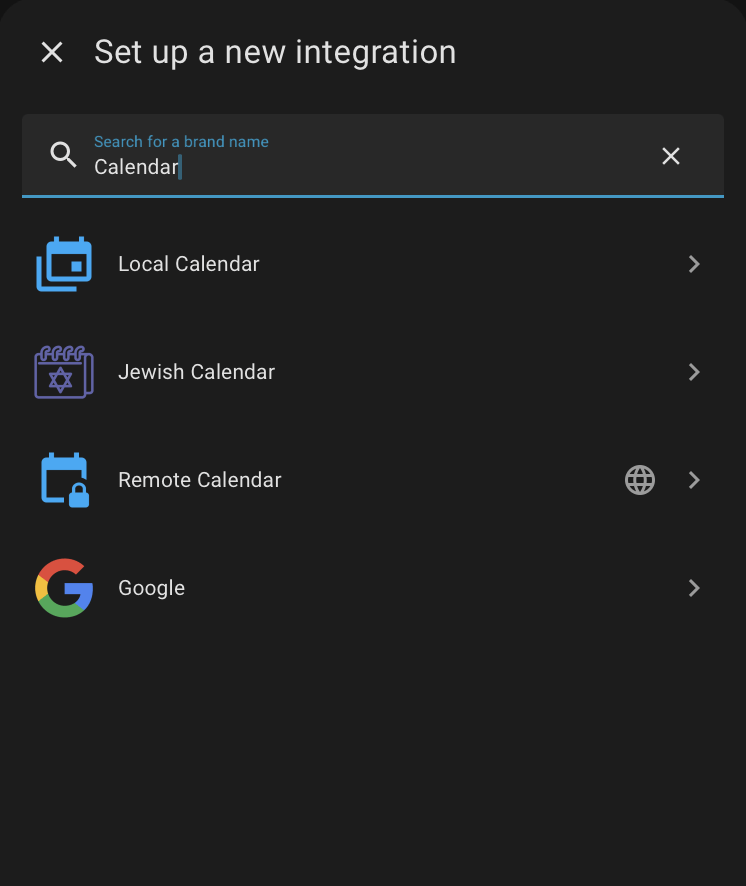
- From the Settings | Integration screen, choose Add Integration.
- From this dialogue, choose Local Calendar
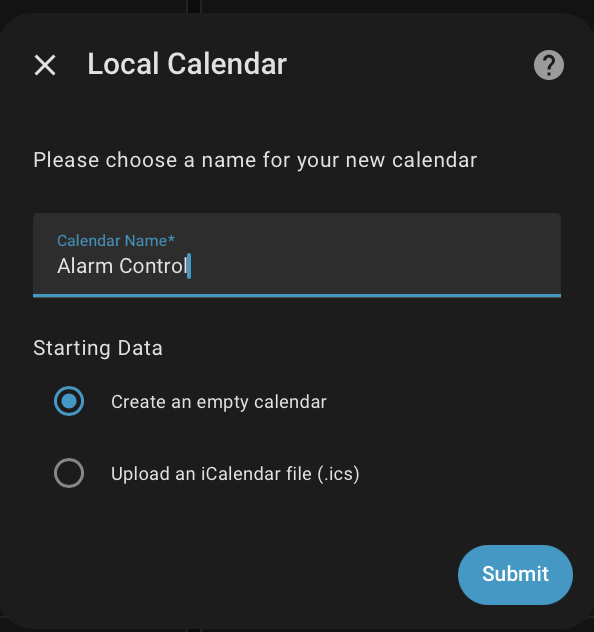
- Configure the integration by choosing its name
Configure Auto Arm
Select the calendar entity in Settings > Devices & Services > Auto Arm > Configure.
Out of the box, an event named Away, Home, Night, Disarmed, Vacation or Holiday sets the matching alarm state. To choose your own names, add a Match rule in the Advanced - Calendar section of the options, each rule having
- the Calendar it applies to
- the Alarm state to set
- one or more Patterns, regular expressions matched against the summary and description of each event
In this example Alarm Control is the name of the calendar:
| Calendar | Alarm state | Patterns |
|---|---|---|
calendar.alarm_control | disarmed | Disarmed |
Once a calendar has a rule of its own, the default names no longer apply to that calendar.
Migrating from YAML
state_patterns in a YAML calendar_control section are copied into match rules the first time, along with notify_grace_period, and can then be removed from YAML. There is now one Poll interval for all calendars, taken from the shortest poll_interval in YAML.
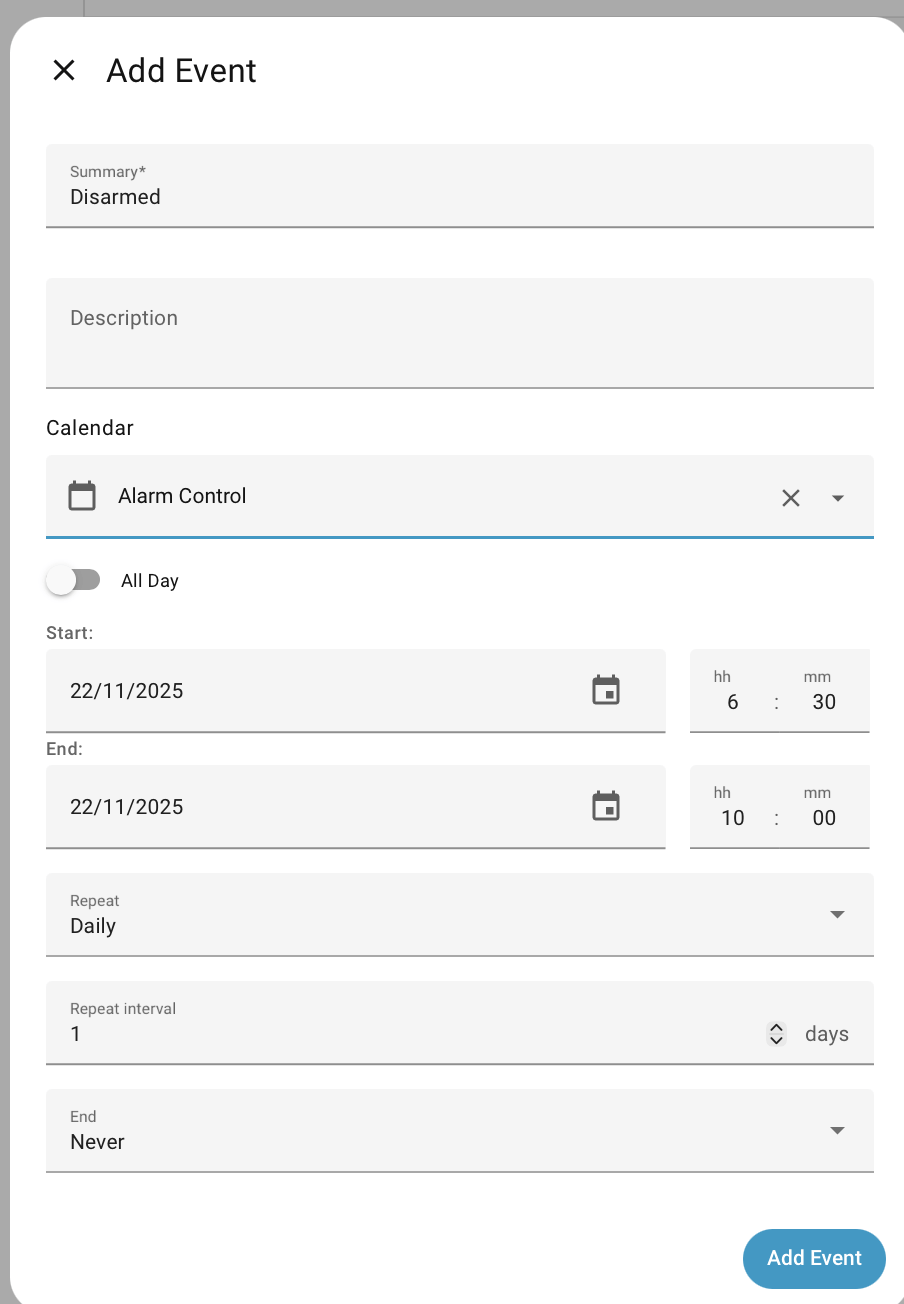
This calendar is going to be used very simply to disarm the alarm during set periods, and let Auto Arm automatically handle the other times.
Access the Calendar
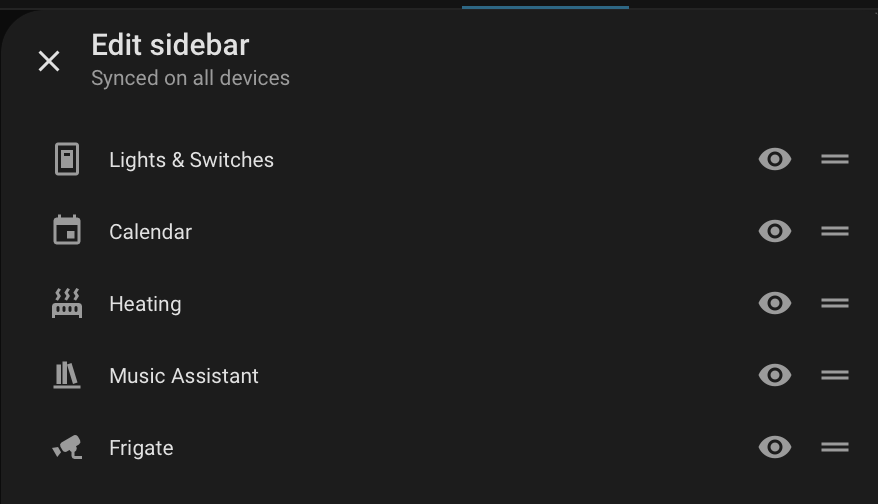
If you don't have a Calendar option in the Home Assistant side-bar, then go to the personal settings ( bottom left corner, with your name against it) and change the visibility as:
Setup a Disarm Schedule
Now that you have access to the calendar screen, add a recurring event for disarming.
Changing your Mind
Once the event is created, double-click on a day to change it. You get the choice of changing just that day or all the recurring entries. Similarly you can delete one day from a recurring entry without affecting all the other ones. This makes it easy to do some one-off tuning for some days.
Adding Vacations
You may have vacation events already on another calendar integration ( like Remote or Google Calendar ), or may want to add them to this one.
Here's how that might look as match rules:
| Calendar | Alarm state | Patterns |
|---|---|---|
calendar.alarm_control | disarmed | Disarmed |
calendar.family_happenings | armed_vacation | Camping Trip.*, .*Holidays.* |
calendar.family_happenings | armed_away | Work Trip.* |
What to do when no event
While a calendar could have events covering every minute of every day, its much less work to only define what is needed, such as what's the right time to arm at night, or when vacations start and end.
What happens when an event ends, and there's no other event live, is set in the Advanced - Calendar section of the Auto Arm Options, separately for armed and disarmed events. See When an Event Ends for the choices.