Quick Start
Auto Arm is one of the default repositories on HACS, so there's no need to register a custom repo.
Notifications will work with any HomeAssistant notification implementation, with additional support for Supernotify for multi-channel notifications with mobile actions.
Configuration
Auto Arm is set up using the Home Assistant Integrations page, with additional advanced configuration available via YAML.
UI Setup
- Go to Settings > Devices & Services > Add Integration and search for Auto Arm.
- Select your Alarm Control Panel entity (any Alarm Control Panel Integration will work). If you don't have one, see Create an Alarm Panel.
- Optionally select a Bedtime sensor, Calendar and Person entities, as used by the recommended recipe. Everyone known to Home Assistant is selected to start with.
- Adjust defaults in Options at any time (calendar entities, person entities, times of the day sensors, triggers, occupancy defaults, calendar end modes).
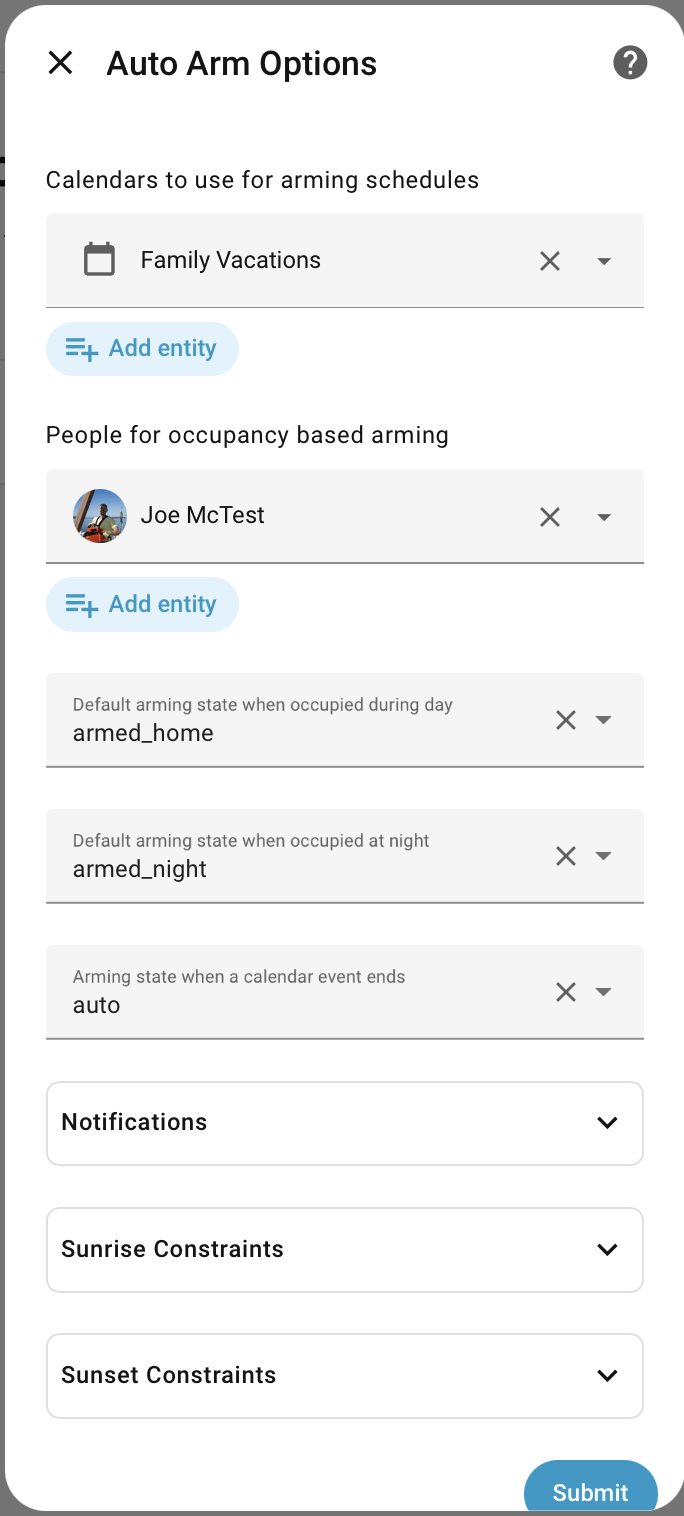
Typical Day / Night
There's a recommended recipe to follow for a classic alarm setup:
ARMED_NIGHTat bedtimeDISARMEDduring the dayARMED_HOMEbetween sunset and bedtime.ARMED_AWAYif nobody homeARMED_VACATIONif away on holidays
If that's not quite how you like, its still a good starting place for an easy to configure, zero YAML, low maintenance setup.